
Directions for Trade Specialist Permit Applicants
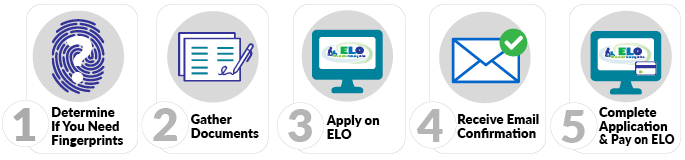
1. Determine if you must submit fingerprints
- Use the fingerprint decision tree to determine if this step is needed. If you have determined that you need fingerprints, submit them electronically via our vendor Fieldprint by following the Electronic Fingerprint Submission directions.
2. Gather Documents
Scan all documentation into files (.pdf, .doc/docx, .jpg/jpeg, or .txt) that are 2MB or less in size
- Preview the ELO Conduct & Competency Questions to see if you will need to provide documentation of any alleged misconduct.
- Proof of training at a four-year institution.
- Proof of completed apprenticeship.
3. Log in to Educator Licensing Online (ELO)
- Within ELO, make sure you have answered the three onboarding questions.
- Find the Start a New Transaction for a New License section of the Quick Start Menu. Select the same choices in the three drop-downs in the application screenshot below:
-
![What are you applying for; 4-Other Category, K-Trade Specialist License [O080], Request Trade Specialist License [1020]](/sites/default/files/imce/tepdl/images/trade-specialist.png)
-
Choose "4-Other Category"
-
Choose "K-Trade Specialist License [O080]"
-
Choose "Request Trade Specialist License [1020]"
-
Click the “GO!” button.
-
Complete each page of the application as instructed. Review your Application Summary and edit information if necessary OR click the “SUBMIT” button to submit your application.
-
Please note that there are two transactions for this application. The first transaction is used to gather pertinent data and must be approved by DPI before you can complete the second transaction. There may be a time-lag between your submission of the first transaction and DPI’s notification to you that you may move to the second transaction. You will pay your application fee during the second transaction.
4. Receive Email Confirmation
5. Complete Application on ELO
- Click the GO! button next to “Submit C&C and Payment to Complete Application.”
- Review your fees.
- Complete the Conduct and Competency Questionnaire (14 questions).
- Pay with a credit card or pre-paid card. For fee amounts and additional payment information please see License Application Fees.
For additional information on Trade Specialist Permits, see the Pathways to Licensure page.